Apache-2.0 · Self-hostable
The open‑source trading journal with nothing to hide.
Every number traces back to a fill. P&L is net of your real fees, reconciled to a double-entry ledger, and the code is public for anyone to read.
Free plan, no credit card. Your data exports anytime, and the whole stack runs on your own machine if you'd rather.
01 · LOG
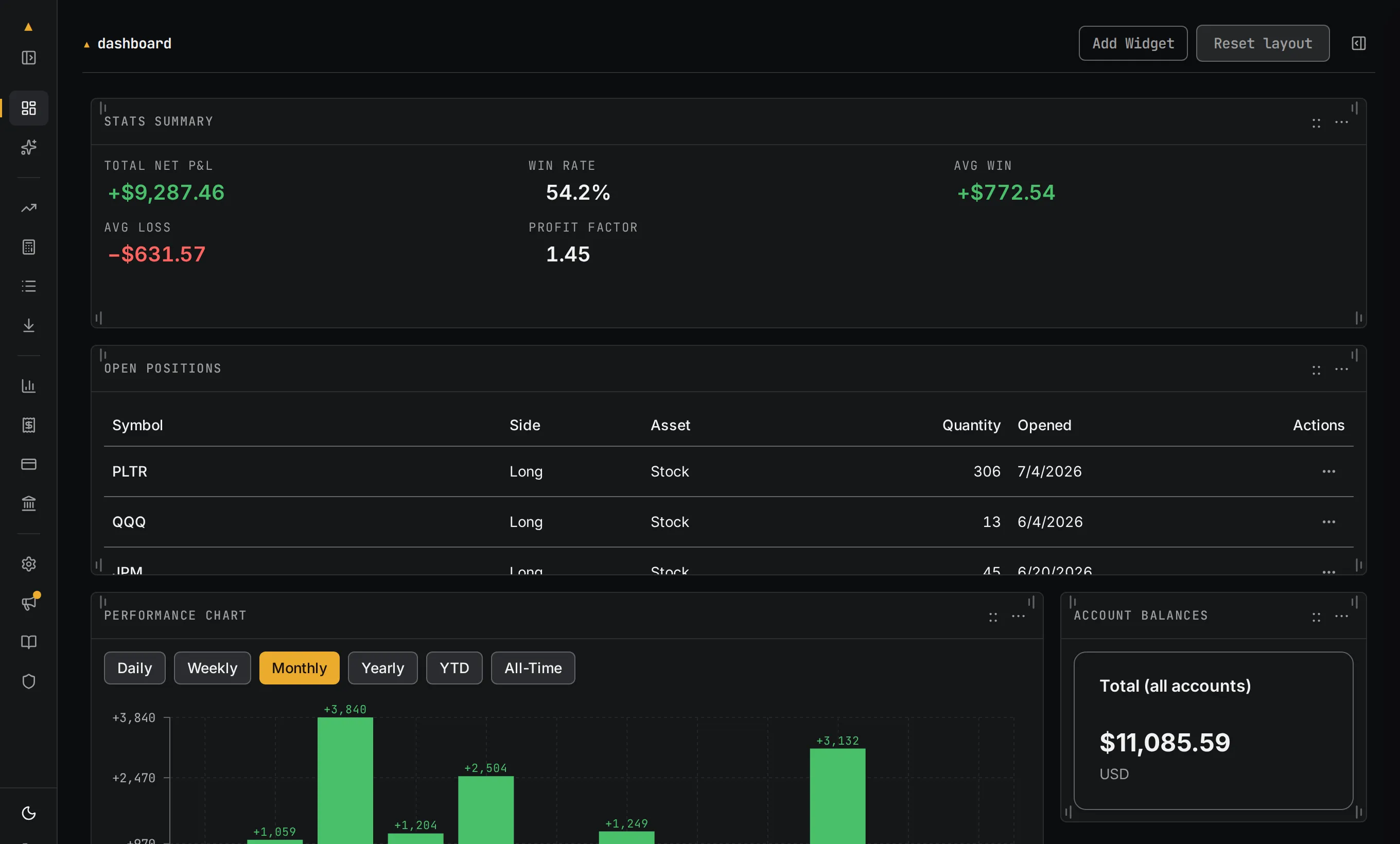
Where did that number come from?
Open any position and it unfolds into its fills: every scale-in, every fee, the average-cost math line by line. The journal shows its work, so when a figure looks wrong you can see exactly why it isn't.
02 · SEE
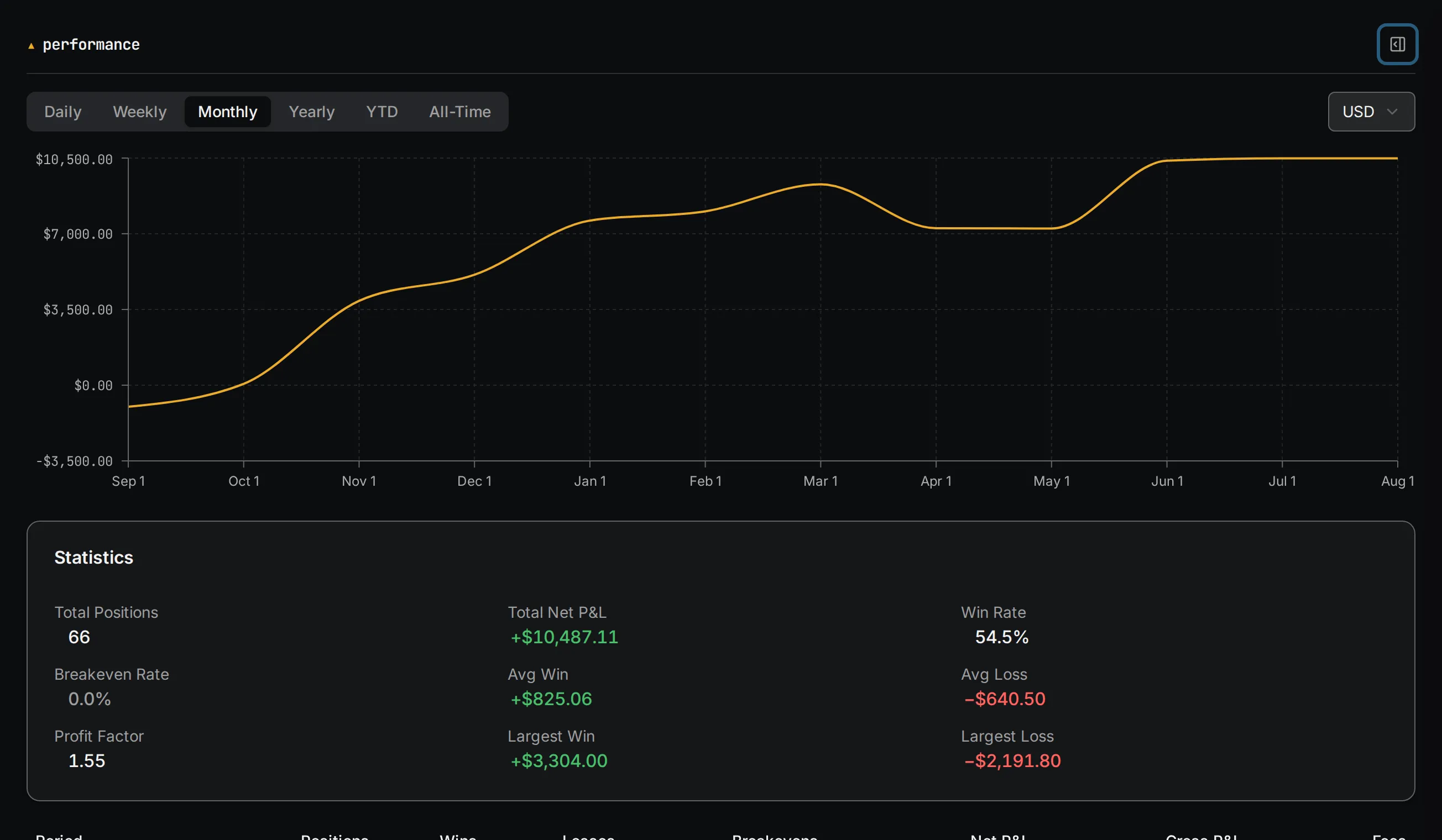
What's actually working?
Expectancy, drawdown, profit factor, and win rate, split by setup or by weekday. The stats move with every fill you log, so the answer is current the moment you ask it.
03 · ASK
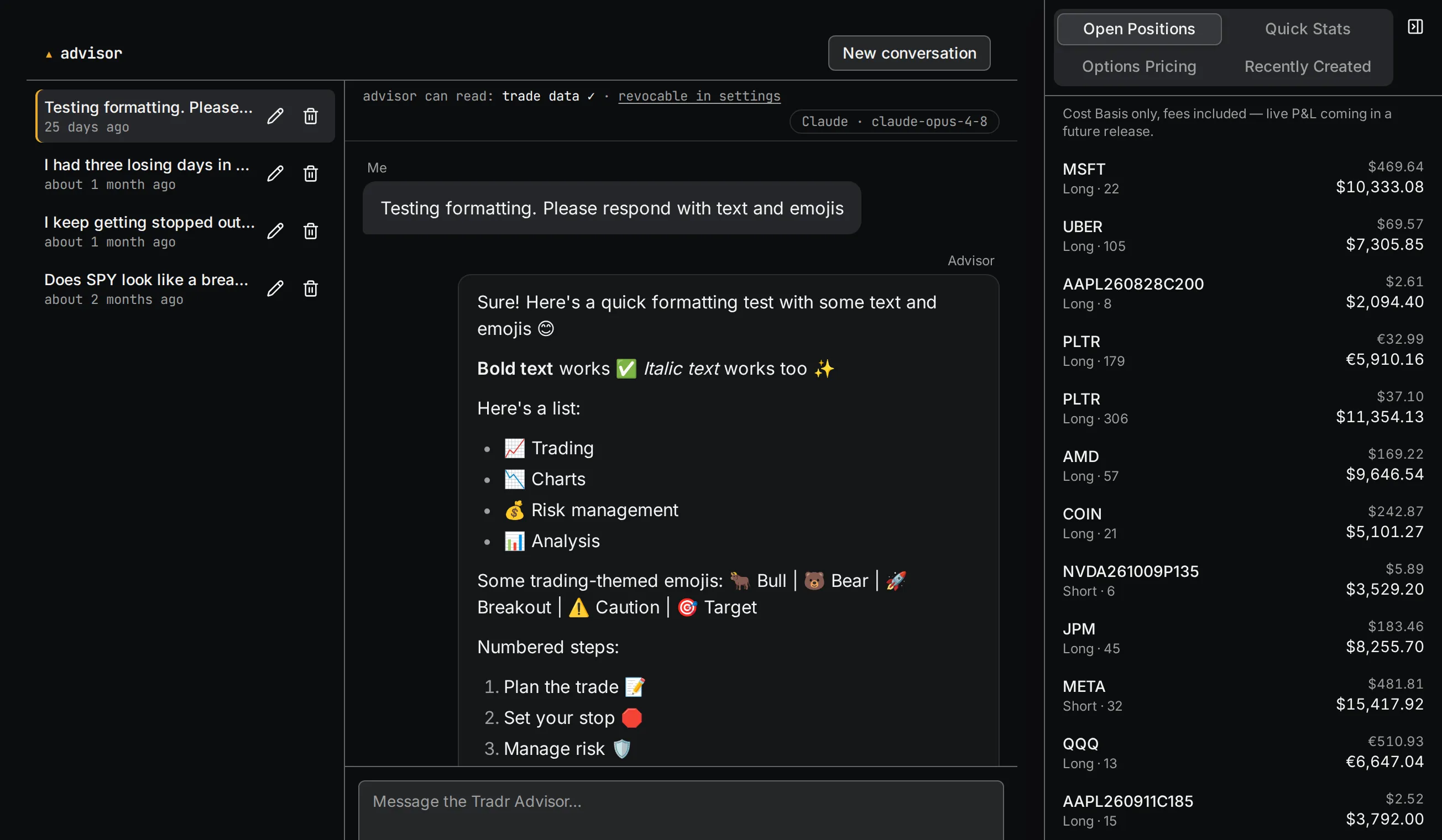
What would an honest second opinion say?
Switched off while it's rebuilt
The AI advisor reads your trade history, with your permission, and answers with citations to your own fills. It runs on your own Claude or OpenAI key and never places a trade. It's switched off in the current release while it's rebuilt, and comes back after launch.
Compared, honestly
How Tradr compares.
The short version, including the row where we lose.
| Feature | Tradr | TradeZella | TraderSync | Spreadsheet |
|---|---|---|---|---|
| Open source | Yes, Apache-2.0 | No | No | n/a |
| Self-hostable | Yes | No | No | It's your file |
| AI advisor, your own key | Coming back (BYOK, Claude or OpenAI) | AI, no BYOK | No | No |
| Multi-currency double-entry ledger | Yes | No | Limited | Manual |
| Automatic broker sync | No, CSV import only | Yes, many brokers | Yes, many brokers | Manual |
| Price | Free self-hosted · $0–10 hosted | ~$30–50/mo | Subscription | Free |
Where the incumbents are genuinely stronger: TradeZella and TraderSync both connect directly to many brokers for automatic trade sync, and TradeZella's trade replay and reporting are polished and mature. Tradr has no direct broker sync at all today. You import by CSV from any broker, and direct read-only connections are on the roadmap. A spreadsheet remains the most flexible thing on earth if you enjoy maintaining one.
Open source
Check the math yourself.
Tradr is Apache-2.0. Your data sits in a Postgres you can open, export is a button, and the whole stack runs on your machine in one command. The hosted version runs the same public code you can read on GitHub.
$ git clone https://github.com/madmatt112/tradr.git
$ cd tradr && ./docker/quickstart.sh
# three containers, about two minutes — journal at localhost:8080
Pricing
Pricing, all of it.
The hosted plans exist to cover a hosting bill.
Self-host: free, forever.
Every feature, no caps, no gating. ./docker/quickstart.sh and it's yours.
-
Hosted Free
$0
Managed and instant. No server to run.
- 1 connected account · up to 1,000 positions
- 6 months of performance analytics
- 10 CSV imports a month to migrate your history in
- Daily backups and upgrades, handled for you
-
Launch price
Hosted Pro
$10 /mo
For active traders: the caps come off.
- Unlimited accounts and positions
- All-time performance analytics
- Unlimited CSV imports
- Monthly billing through Stripe, cancel anytime
The AI advisor is switched off in the current release while it's rebuilt. When it comes back, both hosted plans get a monthly message allowance, and your own key makes it unlimited either way.
Questions
Answered straight.
Is it really free?
Self-hosted, yes, completely and permanently — Apache-2.0 with no feature gates. Hosted Free is also free; its caps exist so a casual journal doesn't cost us more than it costs you.
How hard is it to self-host?
One command with Docker Compose: three containers, about two minutes on any machine that runs Docker. The guide covers backups and upgrades.
Which brokers does it support?
Any broker that exports CSV — the importer maps columns from the majors automatically. Direct read-only broker connections are on the roadmap and not in the product today.
Do I need my own API key for the AI advisor?
Not yet. The advisor is switched off in the current release while it's rebuilt. When it comes back, Hosted Free and Pro each include a monthly allowance, and a Claude or OpenAI key of your own makes it unlimited on every plan, self-hosted included.
Does Tradr place trades for me?
No. It reads what you log, and the advisor only ever analyzes. There's no brokerage connection that could place an order, by design.
Keep an honest book.
Start a hosted journal in about a minute, on the free plan, with no card. Or bring the whole stack up on your own machine with one command; it's the same software either way.